Providing information
Send the information Davner needs with a comment or additional files. We'll pick it up from there.
If we need more information from your practice, we’ll email you and leave a comment explaining what’s needed. The request will be marked Davner needs info.
You can answer a simple question with a comment or upload additional records directly to the request.
Send what’s needed
Read our comment
Open the request from the email or the Prior Auths list. Read the comment in Activity on the Overview tab to see what we need.
Add your response
For a written answer, enter a comment in Activity and select Post.
For additional records, select Provide information to open Documents. Choose the files and select Upload.
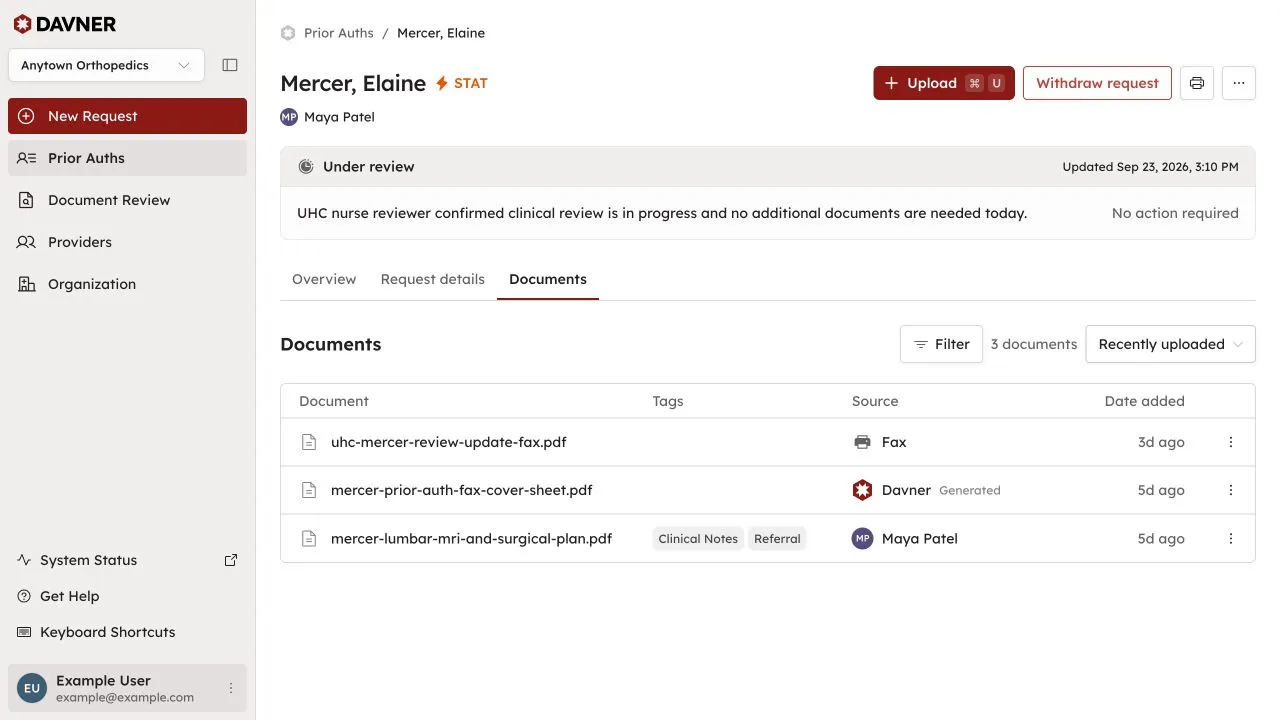
You can do both if the files need an explanation. For example: “The requested note is in follow-up-visit.pdf, page 2.”
Leave the rest to Davner
We pick up your response automatically and continue working on the request once we have what we need. If anything is still missing, we’ll let you know.
Have something else to add?
You can add records or leave a comment on a request your organization created at any time. There’s no need to wait for us to ask.
If you’re still gathering the information we requested, send what you have and leave a comment about what’s on the way.